

Reliable Analytics-Con-201 Dumps Questions Available as Web-Based Practice Test Engine
Correct and Up-to-date Salesforce Analytics-Con-201 BrainDumps
NEW QUESTION # 63
Cloud Kicks has a dashboard that displays accounts and opportunities data in a table that contains actions to open the records in Salesforce. Since the company has allowed several accounts to be created with the same names, when users try to perform actions, they are prompted with only a record ID to select, leaving the users confused and unable to act.
How should the CRM Analytics consultant solve this problem?
- A. Ask the admin to start applying duplicate rules based on the account's Name field.
- B. Insert more fields in the dataset action "Display Fields" so the users know which account they are acting on.
- C. Discuss with the stakeholders If the action Is really necessary for the table.
Answer: B
NEW QUESTION # 64
Universal Containers' sales team is looking to build a dashboard that shows the total revenue from their top
10 accounts (based on revenue) and make it dynamic with the filters of the dashboard.
Which action is required to accomplish this?
- A. Create a query with a results based interaction as a filter using the limit query to pass in the 10 Account IDs.
- B. Create 2 query with a selection based interaction asa filter using the limit query to pass in the 10 Account IDs.
- C. Create a query and sort descending by revenue and limit it to 10 results.
Answer: C
Explanation:
To create a dashboard showing the top 10 accounts by revenue dynamically, the best approach is to create a query that sorts the accounts in descending order by revenue and limits the results to the top 10. This query can then be used as the data source for the widget, ensuring that it dynamically adjusts based on the filters applied to the dashboard.
This method efficiently handles the task because sorting by revenue and limiting the results to 10 ensures that only the top accounts are displayed, and it remains dynamic with dashboard filters.
NEW QUESTION # 65
Cloud Kicks has informed CRM Analytics developers that they have two scenarios with restricted row-level security.
The parameters being:
1. Non-CXOs and VPs working in EMEA can have access to EMEA records only.
2. CXOs and VPs should have access to all data irrespective of the region (APAC, EMEA, etc.).
Which sharing method works for this scenario?
- A. Create two separate datasets; one for EMEA, and one for CXOs and VPs.
- B. Create two sets of dashboards; one for EMEA, and one for CXOs and VPs while filtering the dashboard on the region.
- C. Use a field on the user record like Department/Region, and apply row-level security based on that field.
Answer: C
Explanation:
For Cloud Kicks' requirements regarding access to data based on roles and geographic regions, the most efficient and scalable approach is to implement row-level security using fields on the user record, like Department or Region. Here's the rationale for choosing this approach:
* Scalability and Maintenance: By applying security rules based on user record fields, Cloud Kicks can manage access dynamically without needing to maintain multiple dashboards or datasets. This reduces administrative overhead and simplifies updates as roles or regional structures change.
* Flexibility: Using a field on the user record to control access allows for easy expansion or modification of security policies as new regions or roles are added.
* Simplicity: This method ensures a clear and straightforward security model that can be easily audited and understood by administrators and compliance teams.
NEW QUESTION # 66
What is the purpose of the CRM Analytics Dashboard Inspector?
- A. To see the final query for each widget along with the results.
- B. To view the total time required to run all queries.
- C. To automatically remove bottlenecks to make queries run faster.
Answer: A
Explanation:
The CRM Analytics Dashboard Inspector is a powerful tool used to troubleshoot and optimize dashboards. Its primary function is to display the underlying SAQL (Salesforce Analytics Query Language) query executed for each widget. It helps users see the final query that is run and the corresponding results. This feature allows CRM Analytics consultants and developers to diagnose issues, optimize performance, and understand how data is being processed in the dashboard.
While the Inspector helps view execution times and identify bottlenecks, it does not automatically resolve performance issues (which is why option B is incorrect). It simply provides visibility into query performance and execution details, allowing the user to make manual optimizations.
NEW QUESTION # 67
The CRM Analytics project team at Universal Containers is creating an app with dashboards, datasets, and lenses. The app has been shared with multiple users with Viewer, Editor, and/or Manager access.
One end user is unable to view the dashboard watchlist that was previously set up. They are receiving a
"Resource not found" error while trying to access the dashboard. The team confirms that the end user has Viewer access to the app but the project team is able to view the dashboard.
What is the reason for this error?
- A. The dashboard or App permission needs to be updated to Editor.
- B. The dashboard is deleted by a user with Manager access to the App.
- C. The dashboard has been hidden by a user with Manager access to the App.
Answer: C
NEW QUESTION # 68
Universal Containers' CRM Analytics team is building a dashboard with two widgets, and the queries use different datasets.
1. List widget associated to the query "Type_2" and grouped by the dimension "Type" (multi-selection)
2. Donut chart widget associated to the query "Query_pie_3" and grouped by the dimension "Type" The team wants any selection in the List widget to filter the Donut chart and vice versa. Users should be able to choose more than one Type (multi-selection).
What is the recommended way to accomplish the required filtering?
- A. Use "Connect Data Sources" to create a mapping of the two fields from the two datasets.
- B. Create a selection based Interaction and apply It to the query of "Query ple 3".
- C. Set up a result and selection based interaction for each query.
Answer: C
NEW QUESTION # 69
The CRM Analytics consultant at Universal Containers (UC) has set up data sync for the Salesforce Opportunity object with the Amount currency field added. This is being used in multiple datasets and dashboards, as UC is a multi-currency organization.
The currency used in Salesforce records is set up in GBP but the data on the dashboard is converting to USD.
Conversion logic is not set up on any of the recipes.
Why is the currency converting?
- A. The Integration User currency is set up as USD.
- B. The org corporate currency is set up as USD.
- C. The ANS local currency is set up as USD.
Answer: B
Explanation:
In Salesforce CRM Analytics, when dealing with multi-currency environments, the system relies on the organization's corporate currency setting for reporting, unless explicitly overridden. In this case, even though the Opportunity data is stored in GBP in Salesforce, the dashboards are showing USD because the corporate currency for the org is set to USD. This behavior is expected unless currency conversion logic is implemented in the datasets or recipes.
The corporate currency serves as the default for currency fields in datasets and dashboards unless configured otherwise. This can be confirmed under the "Manage Currencies" settings in Salesforce.
NEW QUESTION # 70
An CRM Analytics consultant is working with Ursa Major Solar to build a dashboard to understand customer renewals. Each subscription is captured as a Closed Won Opportunity within Salesforce and asingle Account should only have one active subscription. The consultant notices the Opportunity record does NOT specify whether it is a renewal or a net new subscription.
Which data transformation should the consultant use to determine if a subscription is new or a renewal?
- A. Custom Formula
- B. Flatten
- C. Custom Multiple row formula
Answer: A
Explanation:
To determine whether a subscription is new or a renewal from the Opportunity records in Salesforce, the consultant should utilize a Custom Formula in the data transformation process. Here's the rationale:
* Custom Formula Usage: By employing a custom formula, the consultant can create a logical expression that checks the historical data associated with each account. If an account has previous closed-won opportunities, any new opportunities can be labeled as renewals; otherwise, they are considered new subscriptions.
* Data Insight: This method provides a straightforward way to derive new insights (new vs. renewal) directly from existing data without altering the data structure itself, making it a non-invasive and efficient solution.
* Implementation: The custom formula can be applied in a recipe or directly within a dataflow in CRM Analytics, offering flexibility in how and where the transformation is executed.
NEW QUESTION # 71
A consultant is building a CRM Analytics dashboard for Universal
Containers. The consultant has enabled data sync to increase the
speed of datasets refreshing.
How often will the data on the dashboard be refreshed?
- A. When dataflow/recipe runs to completion, and then data syne runs to completion
- B. When data sync runs to completion, and then dataflow/recipe runs to completion
- C. When the dashboard viewer clicks the Refresh button
Answer: B
NEW QUESTION # 72
A versioning feature allows CRM Analytics users to be added as Publishers and make changes separately while a 'Live' version is still being usedby other users. Once the changes are complete, the user can then set their updated version as the Live version.
Which CRM Analytics item is this leveraged for?
- A. Dataset
- B. goats
- C. App
Answer: C
Explanation:
In CRM Analytics, the versioning feature described is typically leveraged for Apps. This feature allows:
* Parallel Development: Users can work on changes in a separate version without affecting the live version being accessed by others.
* Controlled Publishing: Once changes are finalized, the user can then promote their version to be the new live version, ensuring seamless updates without disrupting ongoing usage.
* Collaborative Workflows: Facilitates teamwork by allowing multiple users to propose and test changes in a controlled environment before making those changes live.
This approach ensures that CRM Analytics apps remain dynamic and can evolve over time while maintaining stability and continuity for end-users.
NEW QUESTION # 73
The CRM Analytics consultant at Cloud Kicks is asked to a dashboard displaying Opportunities data on the account's record page. The dashboard should display only opportunity data related to the current account viewed.
How should the consultant accomplish this?
- A. Create a dashboard, clone it and filter It for each account record, and embed them into the account's record pages accordingly.
- B. Create the dashboard, insert in the account's record page, and apply a filter based on the opportunity's Id field.
- C. Create the dashboard, insert in the account's record page, and apply a filter based on the account's Id field.
Answer: C
NEW QUESTION # 74
A CRM Analytics consultant has been asked to bring data from an external database as well as five external Salesforce environments into CRMAnalytics. Twenty-five objects have been enabled from the local Salesforce connector.
The requirements are:
* 10 objects should be enabled from an external database
* 12 objects each from three of the external Salesforce environments
* 15 objects each from the remaining two external Salesforce environments The consultant estimates each connector will, per object, bring between 1,000 and 1 million rows of data.
Which limit will be exceeded?
- A. Storage rows of data
- B. Total number of enabled objects
- C. Salesforce external connector number of synced rows
Answer: B
Explanation:
In evaluating the scenario presented where multiple external sources and objects are being integrated into CRM Analytics, we need to consider the total number of enabled objects across all connections. Here's a breakdown:
* 10 objects from an external database
* 12 objects each from three external Salesforce environments, totaling 36 objects
* 15 objects each from two external Salesforce environments, totaling 30 objects
* 25 objects already enabled from the local Salesforce connector
This brings us to a total of 101 objects enabled, which may exceed typical limits on the number of objects that can be enabled in a CRM Analytics environment, depending on the specific Salesforce licensing and platform limits.
NEW QUESTION # 75
A CRM Analytics consultant at Cloud Kicks is trying to upload data using an External Data API and the CSV file with the data wasuploaded successfully. Upon analyzing the data using a lens, they find they are unable to perform any mathematical operations as all the data and fields are treated as dimensions.
What is causing the problem?
- A. The field value added in the CSV file was contained within double quotes.
- B. JSON metadata file was not uploaded along with the CSV data file.
- C. Proper transformations need to be performed at the external source prior to External Data API callout.
Answer: B
NEW QUESTION # 76
A CRM Analytics consultant has been asked to refactor a dashboard so that it loads quicker. After some analysis, the consultant found that most of the dashboard queries run in less than 5 seconds; however, the Opportunities Table takes more time to load when scrolled down from its initial view.
How should the consultant improve the performance of this dashboard?
- A. Create a Visualforce page and display a list view of the Opportunities on this new page.
- B. Create a second dashboard and move the table to this new dashboard.
- C. Create a second page on the dashboard and move the table to this new page.
Answer: C
NEW QUESTION # 77
CRM Analytics users at Cloud Kicks are granted access to an app with specific dashboards. When trying to download a specific widget, they are unable to do so.
- A. The permission set for the users is missing the download data permission.
- B. The users have access to the dashboard but not the dataset.
- C. The dashboard has been created for internal use and theusers have a view only license.
Answer: A
Explanation:
In CRM Analytics, even if users are granted access to view an app and its dashboards, their ability to download data is controlled by permissions assigned via permission sets. Specifically, users need the
"Download Data" permission to download data from widgets or dashboards. If this permission is missing from their permission set, they will be unable to download the specific widget, even though they can view the data.
NEW QUESTION # 78
Which capability can a consultant use if "Deploy without connecting to a Salesforce Object" is selected while deploying the model?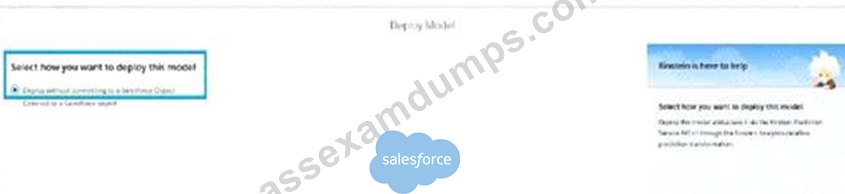
- A. Einstein Predictions Component score
- B. Predict Function in Salesforce flows
- C. No-Code Writeback to SFDC objects
Answer: B
Explanation:
When deploying a model with the option "Deploy without connecting to a Salesforce Object", the suitable capabilities include:
* Use of Predict Function in Salesforce Flows: This capability allows the deployed model to be used within Salesforce Flow as a predictive tool, enabling automation flows to include predictions without directly writing back to Salesforce objects.
* Flexibility in Application: This method provides flexibility in how predictions are utilized across various Salesforce processes and workflows, without the need for direct data manipulation within Salesforce objects.
* Enhanced Workflow Integration: By integrating predictive insights directly into flows, organizations can automate decision-making processes, enhance user interactions, and streamline operations based on predictive outcomes.
This setup aligns with Salesforce's best practices for leveraging CRM Analytics to enhance operational efficiency and decision accuracy across different business functions.
NEW QUESTION # 79
A project team member uploads a CSV file to CRM Analytics, and they notice a few records failed during the upload. The manager wants to view the error log generated so this can be fixed and uploaded again. The manager has the CRM Analytics administrator permissionbut is unable to download the error log details.
Why is the manager unable to download the log details?
- A. They do not have the Upload External Data to CRM Analytics permission enabled.
- B. They do not have the Download CRM Analytics Data permission enabled.
- C. Only the user who uploaded the external data file can download the error log.
Answer: C
Explanation:
In CRM Analytics, when a CSV file is uploaded and errors occur during the upload process, an error log is generated. However, only the user who uploaded the external data file can download the error log, even if other users have administrative permissions. This restriction ensures that only the user responsible for the data upload can access the details to resolve the issues.
NEW QUESTION # 80
After getting approval for the dashboard layout design for a desktop, the CRM Analytics consultant is ready to start the design process for a mobile layout.
Which consideration should the consultant keep in mind?
- A. If no layouts are eligible for the mobile device, an error message will be displayed but the dashboard will still be visible on the desktop without errors.
- B. Create a layout with the property "phone" to show the dashboard on the mobile app similar to creating a layout with the property "dashboard"to show on the desktop for thesame dashboard,
- C. "Tablet" or "Phone" layout-where only minWidth and maxWidth have been set-may be displayed on a desktop if the dashboard is embedded in asmall frame, or if the browserwindow is small.
Answer: C
Explanation:
When designing for different device types in CRM Analytics, particularly for mobile layouts, it's crucial to consider how the layout will respond not just on mobile devices but also under various display conditions on desktops. Here's the rationale for focusing on this consideration:
* Responsiveness: Layouts designated for tablets or phones may also be triggered on desktop environments if conditions such as browser window size or embedded frame dimensions mimic those typical of smaller devices.
* Design Flexibility: Understanding this behavior is essential for creating versatile dashboards that maintain functionality and visual integrity across all potential viewing scenarios.
* User Experience: Ensuring that the dashboard behaves predictably across device types and sizes enhances user engagement and effectiveness, as it provides a consistent experience regardless of the access point.
This approach ensures that the dashboard remains functional and accessible no matter how or where it is being viewed, aligning with best practices for responsive and adaptive design in modern analytics environments.
NEW QUESTION # 81
Universal Containers plans to upload target data from an external tool to CRM Analytics so it can calculate the sales team target attainments.
The target data changes every month, so the datasets need to be updated on a monthly basis. The target data is a CSV file that contains the Salesforce ID of the sales rep, the target amount, and the month of the target. For each sales rep, the file contains a target for every month of the current year as well as all previous years.
Based on this information, which operation should a consultant use with the Analytics External Data API to upload the file?
- A. Update
- B. Append
- C. Overwrite
Answer: C
Explanation:
For uploading target data that changes on a monthly basis and includes historical data (previous years' targets), the appropriate operation is "Overwrite." This ensures that each time the CSV file is uploaded, the existing data in the dataset is replaced with the new data. This is critical because the target data includes both current and historical data, and using "Overwrite" will update the entire dataset while maintaining historical accuracy.
"Append" would add new data without replacing the old records, leading to duplication, and "Update" is not suitable for completely replacing data in this context.
NEW QUESTION # 82
A consultant has been asked to build and embed a dashboard in a Lightning page. Users should only be able to change the dashboard contrast and open Analytics Studio from the header of the dashboard.
How should the consultant achieve this?
- A. Deselect the "Show Share Icon" and "Enable Subscriptions" buttons.
- B. Deselect the "Enable Notifications" and "Enable Email" buttons.
- C. Deselect the "Enable Notifications" and "Enable Subscriptions" buttons.
Answer: C
NEW QUESTION # 83
What can a consultant accomplish in the Predictions page of a model?
- A. Estimate the impacted business value of using Einstein Discovery.
- B. Create predicted outcome value by manually selecting values for some of the predictor fields.
- C. If it is decided to follow some of the Einstein Recommendations for model improvement, see what the new model metrics would be.
Answer: B
Explanation:
In the Predictions page of a model within CRM Analytics (formerly Einstein Discovery), users have the capability to interact with the model to see how different input values affect predictions. Here's a detailed look at what can be accomplished:
* Manual Input of Predictor Values: Users can manually input or change values for predictor fields to see how these changes alter the predicted outcomes. This is especially useful for testing hypothetical scenarios and understanding how sensitive the model is to various inputs.
* Real-Time Interaction: This functionality provides a hands-on way to explore the model's behavior, offering immediate feedback on how input variations impact predictions, which can help in refining the model or in training users on its application.
* Scenario Analysis: By adjusting predictor values, users can conduct scenario analyses, which are crucial for strategic planning and decision-making.
NEW QUESTION # 84
CRM Analytics consultant receives a new project from a client that wants to implement CRM Analytics. They do not currently have CRM Analytics but want guidance on how to ensure their users have the correct access.
They have 1,000 users with a small team of three people who will build both datasets and dashboards. An additional 15 people should be able to only create dashboards. The remaining users should only be able to view dashboards.
Which recommendation should the consultant give the client?
Which recommendation should the consultant give the client?
- A. Create and assign Salesforce permission sets according to the three types of roles defined.
- B. Create and assign three new Salesforce profiles according to the three types of roles defined.
- C. Assign the app permissions "viewer", "editor", and "manager" to the three types of roles defined.
Answer: A
Explanation:
For a client implementing CRM Analytics with a variety of user roles, creating and assigning Salesforce permission sets is the most flexible and scalable solution. Here's why:
* Flexibility and Customization: Permission sets allow for specific access rights to be compiled and assigned based on user roles without altering their existing profiles.
* Scalability: As the organization grows or roles change, permission sets can be easily adjusted or reassigned to accommodate new requirements or users.
* Simplified Management: Managing access via permission sets simplifies the administration of user rights, making it easier to ensure that each group has the appropriate level of access.
NEW QUESTION # 85
At Universal Containers, a dashboard is built to track sales metrics. The Opportunity amount field has conditional formatting added - it turns green for closed won and red for closed lost.
How should a CRM Analytics consultant enhance the dashboard design to become more accessible to users with color vision challenges?
- A. Make the numbers bold to emphasize whether it is won or lost.
- B. Add up and down arrow next to the KPIs to make it more understandable.
- C. Position Alt Texts next to the KPIs to make itmore understandable.
Answer: B
Explanation:
Enhancing accessibility, especially for users with color vision challenges, is critical. Adding up and down arrows next to the KPIs:
* Visual Cues: Provides a non-color dependent method to indicate whether metrics are positive (up arrow) or negative (down arrow).
* Accessibility: Improves understanding for users with color vision deficiencies, ensuring that the dashboard is inclusive.
* User Experience: Enhances the overall usability of the dashboard by making the interpretation of data straightforward and less reliant on color.
NEW QUESTION # 86
A consultant creates a CRM Analytics dashboard in a sandbox and it needs to be migrated into production.
What should the consultant use to complete the migration?
- A. Change sets
- B. Analytics External Data API
- C. Analytics dashboard connector
Answer: A
NEW QUESTION # 87
......
100% Reliable Microsoft Analytics-Con-201 Exam Dumps Test Pdf Exam Material: https://www.passexamdumps.com/Analytics-Con-201-valid-exam-dumps.html
Current Analytics-Con-201 dumps Preparation through Our Practice Test: https://drive.google.com/open?id=1f1BkCwZm-7_np_oVEx_KuvnAilmFz2wY
